

Quick answer: The Facebook cover photo size is 820 × 312 pixels on desktop and 640 × 360 pixels on mobile. Keep key content inside the 640 × 312 px safe zone — mobile crops ~90 px from each side. Aspect ratio: roughly 2.63:1.
Tips
- Keep text minimal — Facebook recommends less than 20% text for best engagement [1]
- Use the safe zone — Keep key content within 640×312px center area for mobile visibility [1]
- High resolution — Upload at 820×312px minimum to avoid pixelation on desktop [2]
- Brand consistency — Use colors and imagery that match your profile picture and posts [1]
- Update seasonally — Refresh your cover for campaigns, events, or seasons to keep your page dynamic [1]
If your are looking for that Facebook cover photo size that fits perfectly on your facebook page - you are in the right place. The facebook cover photo is a great way to show what your business is about. You can use it for showcasing a new product, show a beautiful image or maybe just your company logo. It's all up to you. Here are the correct dimensions to use for the facebook cover photo size.
Quick Reference
Cover Photo

Video
820 × 312
Duration: Min. 20 seconds, Max. 90 seconds

Image
820 × 312
Phones display cover photos in: 640 x 360 pixels
What should I know about the facebook cover photo size?
The cover photo displays at 820 pixels wide by 312 pixels tall on your Facebook Page. This is only for computers though. On a smartphone it displays at 640 pixels wide and 360 pixels tall. The facebook cover photo was introduced on March 30, 2012 when Facebook Pages were converted to the timeline layout. Check out a great example from the North Face facebook page below.
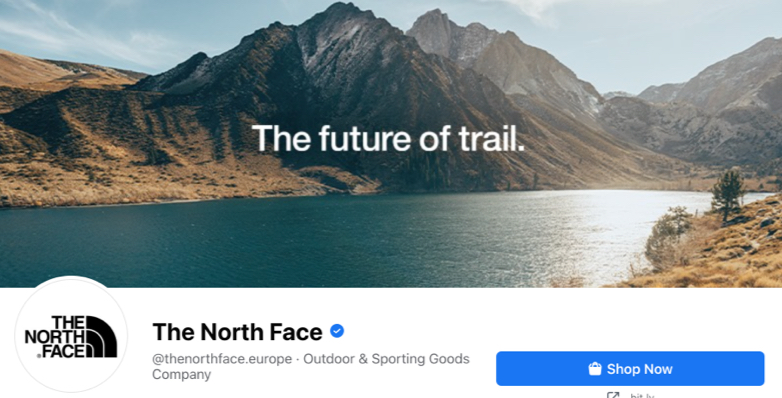 The North Face Cover Photo
Beautiful image. Not much text. It's simple and looks great. You should always try to aim for something as simple as possible to communicate to your users. Further down in this post you can see plenty of great examples of simple facebook banners.
Check out 101 facebook cover photo examples from some of the biggest brands in the world. See how Nike, LEGO, McDonalds, Slack and 101 other big companies are using the facebook cover photo size. Be inspired on how to create your new facebook cover.
What is the best size for facebook cover photo?
You should always upload in the biggest size you can as this will give the best result. One thing to keep in mind is that on smartphones your cover photo will be cropped slightly on the horizontal axis. One way to solve this is to center important visuals and text in the image.
A good way to check everything before you release it is to create a test facebook page. On that page you will be able to check that everything looks good before making it public. You will also be able to see how it looks on a smartphone. That's important. Because most users will probably visit your page from a smartphone.
There's a whole section further down on this page where you can see this explained in more detail. If you need other sizes than the facebook cover size you can see all facebooks sizes on the frontpage. Just click the facebook logo and the site will automatically scroll you to the section.
How do I create a facebook cover photo?
There are many different great tools out there that you can use to create your facebook cover photo. Some of the most popular to use is:
- Figma
- Photoshop
- Illustrator
- Sketch
- XD
- Gimp
- Affinity
Some of this software can be quite expensive to use. If you are looking for a free alternative you can use our 100% Free Social Image Maker to create all assets for your social media channels. This image maker already has the facebook cover size available out the box, so you don't have to go look up the size to get started. It's easy to use and gets updates and improvements quite often.
Social Media Image Maker
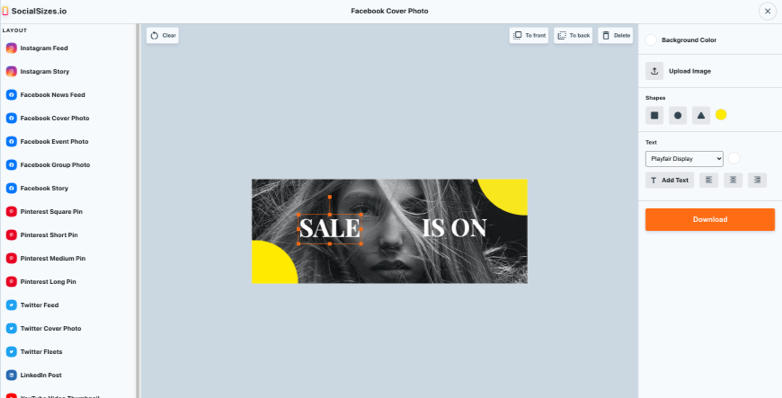 100% Free Social Media Image Maker
Recommendations for the cover photo
While most of the content in Facebook is created using text, a Facebook cover photo is a great way to create a bold, impactful presence for your Page. It's a great place to add interesting visuals that complement the text you use in your posts and give people clicking on your Page an immediate sense of your brand. With so much area to fill, how do you know where to start? Not to worry - we've got some tips for creating a good-looking cover photo that best represents your business or organization.
To create a great cover photo:
- Don't use too much text
- Keep your text welcoming and friendly.
- Ask yourself if you need text at all.
- Keep it simple.
- Use shades of a color instead of using many colors.
- Use good quality fonts.
What's good to know about the Facebook cover photo size?
Facebook cover photos are an important design element on any social media profile. They can increase click-through rates, increase engagement and conversions, and help you stand out in your audience's News Feed. That's why it's so important to make sure that they look their best.
We have designed Facebook Cover Photo Templates that you can use to create the perfect cover for your Facebook page. The templates are in the perfect size, so it can be used on any device as a cover photo for your business or brand.
The cover photo is the first thing your customers see when viewing your Facebook Page. With more than a billion people visiting Pages on Facebook each month, it's important to make your cover photo stand out. It needs to visually represent what your business is about and ideally lead your visitors to your website or app to either purchase a product or to find more information about what you do.
How do I make my facebook cover photo look good?
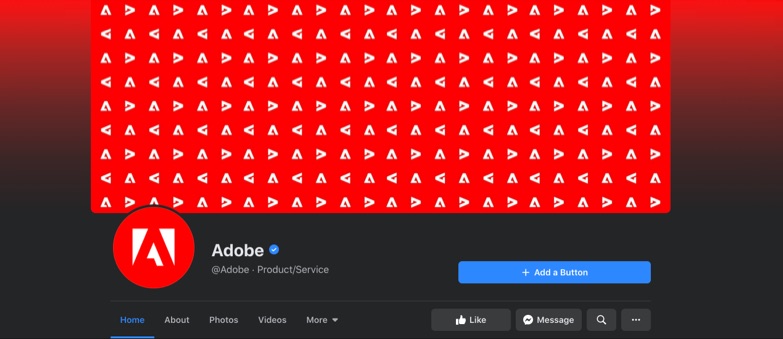 Adobe Facebook Cover Photo
The Facebook cover photo is an essential part of your page's branding. This is the first thing people see when they land on your page and it helps you tell others more about you or your business. I recommend using a single, unified image that captures the essence of your brand. It should be visually appealing, have high visual quality, and only have small amounts of text.
Use high-quality images
If you want to find high quality images I recommend the free resource Unsplash. This site is one of the biggest resources of free images on the internet. All images are high quality and are handpicked by their staff. By using Unsplash you get high quality stock images for free.
Use good fonts that are easy to read
When putting text on your images make sure to use good fonts that are easy to read. A font that never go out of style is Helvetica, Lato and Roboto. You can download these fonts from Google Fonts where you will also be able to find hundreds of other fonts. All fonts are free and are easy to install on your computer.
Finally make sure your cover image stands out with a stunning and compelling design that grabs users' attention and inspires them to become fans of your page. In the beginning of this section there's a really cool cover photo design from Adobe where they use a pattern of their company logo to make it visually appealing.
Does the facebook cover size matter?
Short answer, yes it does! Sometimes you will see cropped text or important information missing when using a wrong facebook cover size. You can easily fix this. Just use our premade templates that you can download directly from the frontpage.
Once you open the template, you just put in your images and text and export to an image format like jpeg or png when you're done. Upload it, and you're done. Everything should fit perfectly. Just make sure that you have all the important information centered in the image.
Beware of mobile as you can experience heavy cropping on your image. Facebook doesn't adjust this automatically so do proper testing before releasing your cover photo to the wild.
Understanding the Mobile Crop Safe Area
The mobile crop safe area is the crucial zone where your content will be visible on all devices. Since Facebook displays your cover photo at different dimensions on desktop (820 × 312 pixels) versus mobile (640 × 360 pixels), you need to ensure your important content stays within the safe area of 640 × 312 pixels.
Here's what happens: On mobile devices, Facebook crops approximately 90 pixels from each side of your cover photo. This means if you place important text, logos, or visual elements near the edges, mobile users won't see them. To avoid this:
- Center your key content - Keep important text and logos within the middle 640 pixels width
- Use the safe area guide - When designing, create a guide at 640 × 312 pixels in the center of your 820 × 312 canvas
- Test on mobile first - Always preview your cover photo on a mobile device before publishing
- Avoid edge placement - Don't place critical information in the outer 90 pixels on either side
Think of the safe area as your "golden zone" - anything outside this zone is a bonus for desktop users, but mobile users will never see it. Design with mobile in mind, and you'll create a cover photo that looks great everywhere.
My Facebook Cover Photo is cropped on mobile?
Mobile is more important than ever. Almost everyone consumes facebook from their phones nowadays. That's why it's super important that your facebook cover photo size fits mobile devices. One mistake that people often make is resizing the browser window and assuming that the cover photo will look the same when people use the app. That is not the case.
First, take a look at how the facebook cover photo looks on a desktop computer below.
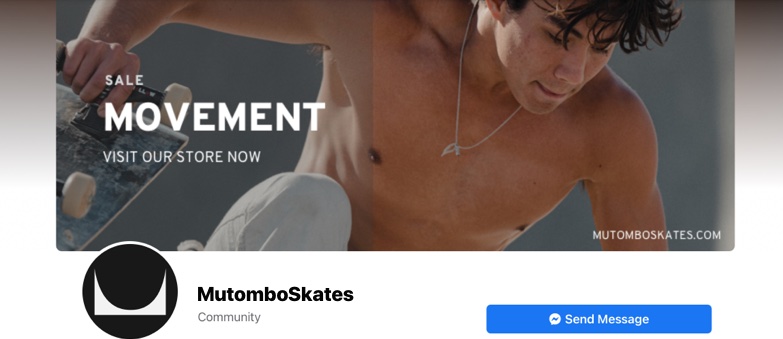 Cover Photo on Desktop Computer
The facebook app is different. As you can see in the example below the cover photo for this page gets cropped on both sides when using the facebook app. Really really annoying... so how do you solve this?
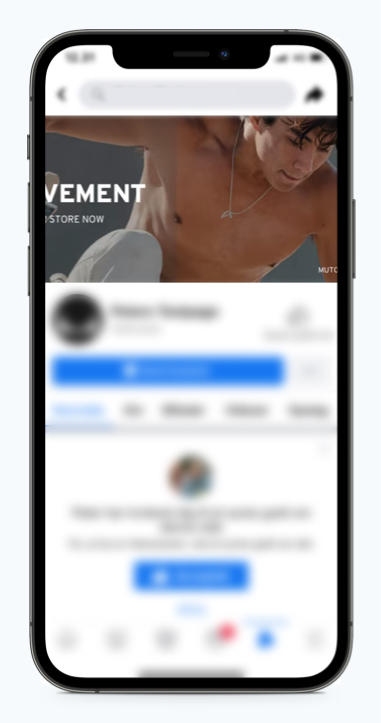
Cover Photo on the Facebook App
Users should not miss important information - like in this case, about a sale. A quick way to make sure users always see text is by centering it in your image. What I normally do is that I create a test facebook page, where I can check everything is okay before uploading and publishing on my company facebook page. A test facebook page is basically just creating a new facebook page without publishing it to the world. You can control if the page is public or not in the settings of your facebook page.
Frequently Asked Questions
How do I prevent my Facebook cover photo from being cropped?
To prevent cropping issues on your Facebook cover photo, follow these best practices:
- Use the correct dimensions: Upload your cover photo at 820 × 312 pixels for optimal desktop display
- Stay within the safe area: Keep all important content (text, logos, faces) within the central 640 × 312 pixel safe zone
- Center your content: Place critical elements in the middle of your design to ensure they're visible on both desktop and mobile
- Test before publishing: Use a test Facebook page to preview how your cover photo looks on different devices
- Avoid edge placement: Don't position important information within 90 pixels of the left or right edges
Remember, mobile devices crop approximately 90 pixels from each side, so what looks perfect on desktop might be cut off on smartphones. Always design with the mobile safe area in mind.
What size is a Facebook event cover photo?
Facebook event cover photos have different dimensions than regular page cover photos. The recommended size for a Facebook event cover photo is:
- Desktop display: 1920 × 1080 pixels (16:9 ratio)
- Mobile display: 560 × 315 pixels minimum
- Recommended upload size: 1920 × 1080 pixels
Event cover photos use a wider aspect ratio than page covers, giving you more horizontal space to showcase your event. Make sure to use high-quality images at the full 1920 × 1080 resolution for the best results. The image will be automatically scaled down for mobile devices, but Facebook will maintain the 16:9 aspect ratio across all platforms.
Pro tip: Since event covers use a landscape orientation, they're perfect for promotional graphics, event venue photos, or wide banner designs. Just ensure any text is large enough to be readable when the image is scaled down for mobile viewing.
What size is a Facebook group cover photo?
Facebook group cover photos use the same dimensions as Facebook page cover photos:
- Desktop display: 820 × 312 pixels
- Mobile display: 640 × 360 pixels
- Safe area: 640 × 312 pixels (visible on all devices)
- Minimum upload size: 820 × 312 pixels
- File format: JPG or PNG
Just like page cover photos, group covers are subject to the same mobile cropping behavior. The outer edges (approximately 90 pixels on each side) will be cropped on mobile devices, so keep your important content centered within the 640 × 312 pixel safe zone.
Group cover tips: Use your group cover photo to communicate what your group is about, showcase your community, or highlight group rules and topics. Since groups are often accessed on mobile devices, always test your cover photo on a smartphone before publishing to ensure nothing important gets cropped.
Can I use a video as my Facebook cover photo?
Yes! Facebook allows you to use a video as your cover photo (also called a cover video). Video covers can be a great way to make your page more dynamic and engaging. Here are the requirements:
- Recommended resolution: 820 × 462 pixels minimum
- Video length: 20 to 90 seconds
- File format: MP4 or MOV
- File size: Maximum 1GB
Cover videos auto-play when someone visits your page, and they loop continuously. Note that videos play without sound by default, so make sure your video is engaging even without audio, or include captions and text overlays.
What if the size change?
Want to be updated about changes to the facebook cover photo size? Then subscribe to updates at the top of the page. Put in your email and click the "Get notified" button. Then you will know exactly when the size change.
If the dimensions of the Facebook cover photo space were to change, it would be important to ensure that your cover photo is properly resized to fit the new dimensions. If the cover photo is not properly sized, it may be distorted or cropped, which could detract from its visual appeal and impact its effectiveness in representing your brand or personal identity. To avoid this, it would be a good idea to periodically check the dimensions of the cover photo space on Facebook and ensure that your cover photo is properly sized to fit. Additionally, some tools and services may be available to help you resize your cover photo to the appropriate dimensions.
Contact
info@socialsizes.io